Content
Content items are the publishable units of Cursiva: each one brings together the authoring, distribution, learner experience, and commercial configuration of a course, lesson, or path. This page describes the data model, the two kinds of content, ownership, settings, and lifecycle.
The model: one row, updated in place
Each content item is a single row in the database, with two documents:
| Field | Role |
|---|---|
content | The editable draft — what the team sees in the editor. |
publishedContent | What learners read — a frozen copy, written only when you publish. |
The row's id is the content item's stable identity across the entire platform: enrollments, purchases, reviews, quiz history, and the reference edges of a composition all point to it. As long as publishedContent is null, the content is a draft — invisible to learners and absent from the catalog.
Two kinds: course and material
Every content item has a kind, and creation offers two doors:
| Kind | Created via | Public slug | Offers | Read where |
|---|---|---|---|---|
| Course | New course | Yes — /{organization}/{slug} is its sales page | Born with the default Standard offer and always keeps exactly one default | On its own public page |
| Material | New material | None | None, not even archived | Inside the courses that reference it |
New course is title-first: you type the title, the URL handle is derived automatically (and stays editable before you confirm), and you can optionally set a price on the spot. Creating the course creates its default Standard offer — free and unlisted unless you priced it — in the same transaction. A course is never "not yet sellable": it is born whole.
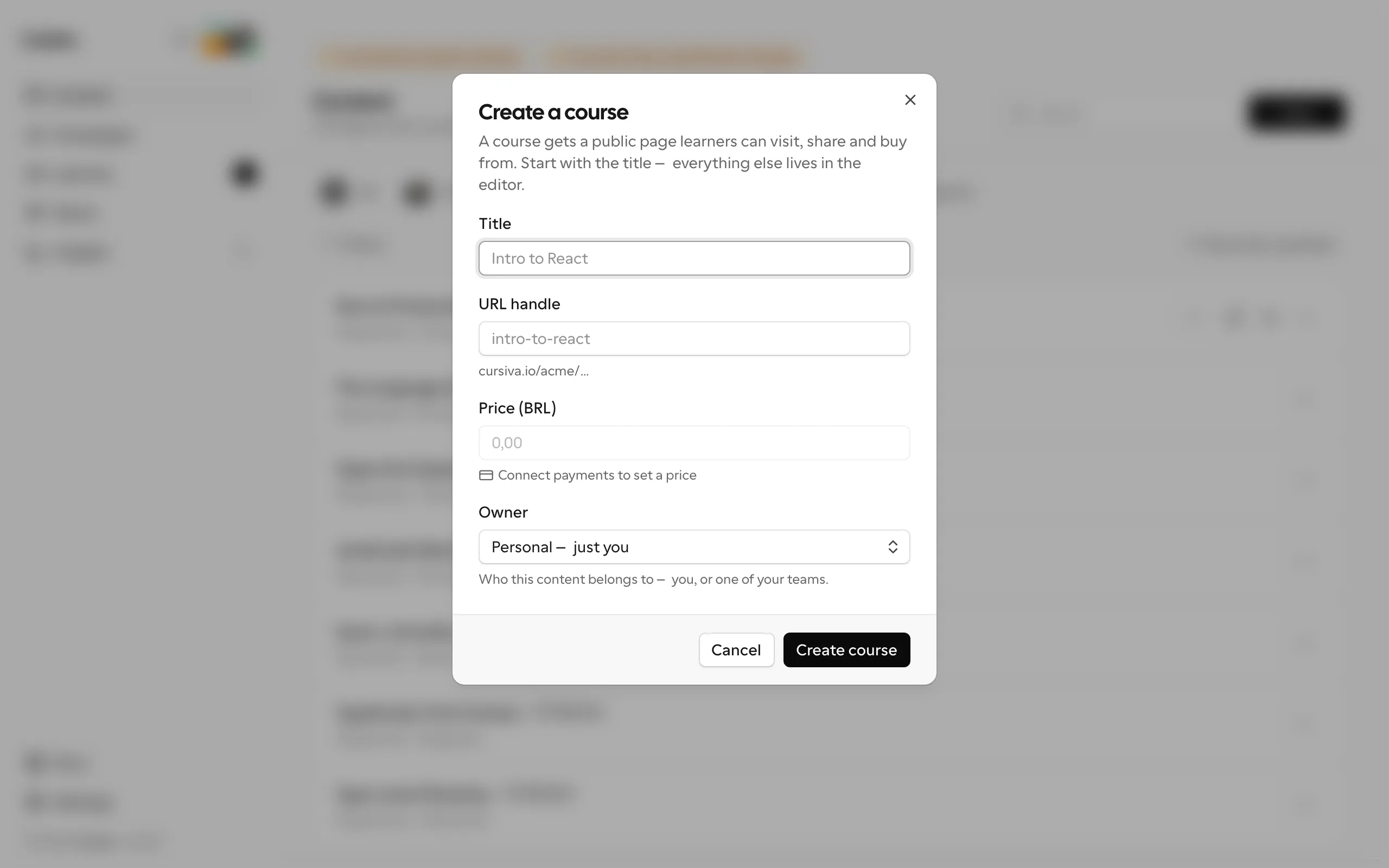
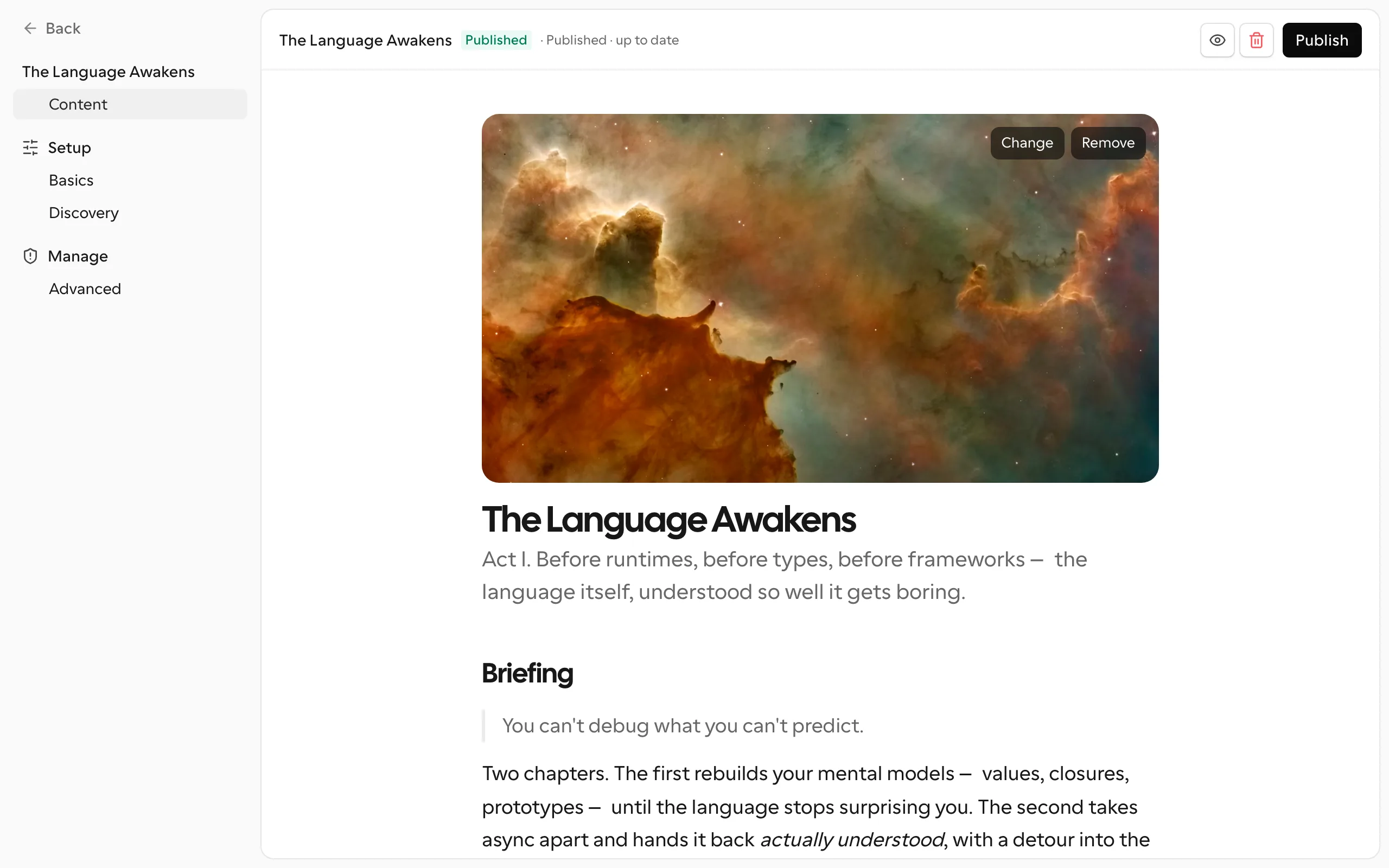
New material asks only for a title — plus the owner, when the organization has teams. A material has no slug, no public page, and no commercial settings — it is pure substance, meant to be referenced as a module by one or more courses. Learners read it inside those courses, at URLs whose segments belong to the parent course; the team edits it at /dashboard/contents/{id}/edit. Because a material has nothing to sell, its editor is slimmer: just Content, Setup, and Manage.
The handle (slug) rules, for courses:
- 1 to 120 characters, only lowercase letters, numbers, and hyphens (
^[a-z0-9-]+$); - unique within the organization.
On creation you can also pick the owning team (optional) — see Ownership below.
From the list's ⋯ menu you can also Duplicate a content item: this creates a new draft with the title renamed to <title> (copy) and, for courses, a free slug in the -copy, -copy-2, … series. The copy carries over the packaging (kind, tags, theme, pricing, seat limit, and ownership), but never the published state, learners, reviews, or sales.
Changing kind: promote and demote
The kind is a ceremony, not a cage:
- Promote to course — on a material's Advanced tab. The material gains a public handle and its default Standard offer, and starts to sell like any course.
- Turn into material — the reverse: the course's offers are deleted and its slug is released. It is refused while the course has learners, sales, any enrollment-request history, or campaigns targeting its offers — those all depend on the course's public, sellable existence.
See Publishing and access for how kind interacts with publishing and the public page.
Configuration areas
A content item's configuration is organized into grouped submenus. Each area has a specific responsibility; the editorial body lives only in the editor. Materials show only the areas that apply to them (no Audience, no Business).
| Group | Submenu | Purpose |
|---|---|---|
| Content | — | The editorial body: the editor itself. |
| Setup | Basics | Handle (courses, once published) and theme — the content's address and look. The title and description are edited in the editor's document header, on the Content tab. |
| Setup | Discovery | Tags, search appearance (meta title/description), social image, and the search-engine switch — how people find this course. |
| Audience | Learners, Cohort, Insights | Who is enrolled, the course's cohorts, and its reports. Courses only. |
| Business | Pricing / Enrollment / Offers | The course's offer(s): price, installments, approval, intake form, seat limit, listing. Courses only. |
| Manage | Advanced | Ownership (the responsible team or person), the kind ceremony (promote/demote), and the danger zone. |
Format: how a content item is shaped
Combining kind, price, and references:
| Shape | How it forms | Behavior |
|---|---|---|
| Standalone course | A course with no references. | Read on its own page. Free courses are always unlisted, so they never appear in the catalog. |
| Composition (bundle) | A course that gains references to other content in the editor. | Becomes a navigable course/path; each reference is a learner destination. |
| Material | Created as (or demoted to) a material. | No page of its own; read inside the compositions that reference it. |
A composition is assembled by adding references in the editor — ideal for programs with independent modules, paths that reuse fundamentals, and libraries by level. References are resolved into edges (referenceEdges) only at publish time. See Platform concepts for the relationship between content and reference.
Ownership of a content item
Every content item belongs to exactly one side — never both:
| Owner | How it looks | Who is responsible |
|---|---|---|
| Team | teamId set, ownerId null | The team's members, according to each one's role. |
| Person | ownerId set, teamId null | The owning person is responsible for all functions. |
| Organization | both null | Only organization owners/admins (content created via API). |
When there is no team, the owning person is responsible for everything. Reassigning ownership (to a team or to an organization member) always leaves exactly one side set. Organization owners and admins are a fallback over any content item.
Functions and roles
A content item has three functions, and each function corresponds to a per-member role in the owning team (team_member_role):
| Role (team_member_role) | Function | What it authorizes |
|---|---|---|
editor | content | Edit the draft, publish, rename the handle, tags, theme, and duplicate. |
finance | finance | Price, currency, installments. |
cohort | cohort | Manage cohorts: administer, moderate, and make up the tutor pool. |
Authorization resolution, from the highest ceiling down to the lowest:
- Organization owner/admin — passes on any function and also in the danger zone.
- Owning person — holds all of the content's functions.
- Member of the owning team — only the function whose role they carry.
- Organization content (no owner and no team) — grants only to organization owners/admins.
Catalog, listed, and unlisted but sellable
The public catalog gathers every course that is published AND listed (listed = true), from most recent to oldest. The marketplace is paid-only: a course can be listed only once it has a price, so free courses are always unlisted and reachable by direct link only. Materials never enter the catalog at all — they have no public page. This separates two important cases:
- A course's internal modules (materials) never appear as standalone cards: they are read inside the composition only.
- Unlisted but sellable: a course can be out of the catalog and still have a price and be purchased via direct link. It is also the way out for a course that has already sold and that you want to take out of circulation — unlist instead of deleting.
Pricing and access
A course's commercial life lives on its offer(s), on the editor's Enrollment/Pricing tab — price, currency, installments, approval, intake, seat limit, and listing. With a single offer the tab edits it directly; with two or more it becomes the course's Offers list. The full model — the Standard offer born with the course, additional offers, campaigns, and the buyer checkout — is in Pricing & checkout; the enrollment journey is in Learners and enrollments.
Two rules worth carrying everywhere: the currency locks after the first sale, and a course always keeps one active offer — archiving the last one is refused.
Tags and theme
- Tags — free-text labels: type anything and it sticks. Names are normalized to lowercase and deduplicated, limited to 12 tags per content item, each up to 32 characters. The editor suggests tags your other contents already use, so spellings converge naturally.
- Theme — sets the trio of accent colors the components render with; it must be a known theme.
Renaming the handle
Renaming a course's handle is safe by design: the id is the stable identity everywhere, and course URLs use edge slugs that belong to the parent content, so renaming a child never breaks the compositions that use it. Only the old public links start returning 404. Materials have no handle to rename.
Lifecycle
The recommended flow is draft → review → publish → follow-up → republish in place:
- Draft — edit the body in the editor; learners see nothing until you publish.
- Review — use the preview before publishing, and avoid changing commercial rules at the same moment you deeply change the content.
- Publish — copies the draft into
publishedContent, recordspublishedAt, and recalculates reference edges and section ids. Materials publish too — that is what lets parent courses render them. - Follow-up — see engagement and outcomes in Insights.
- Republish — repeat as many times as you need; learner progress is preserved.
Danger zone (deletion)
Deletion is restricted to the owning person or an organization owner/admin and has two safety locks:
- Referenced by other content — refused while another composition uses this content as a module. Remove the references first, otherwise the courses would be left hanging.
- Already purchased — refused while any purchase exists. A purchase is a promise: unlist instead of deleting.
When deletion proceeds, enrollments, reviews, and quiz history are removed in cascade. Prefer taking it out of the catalog or halting new enrollments whenever there are still learners attached.